01 Problem
Manage multiple accounts without adding another workspace.
People who use more than one ChatGPT account need a quick way to see which account is active, check usage limits, and change accounts. A conventional standalone manager would introduce another window and pull attention away from the app where the work is happening.
02 Companion design
Visually attached, technically separate.
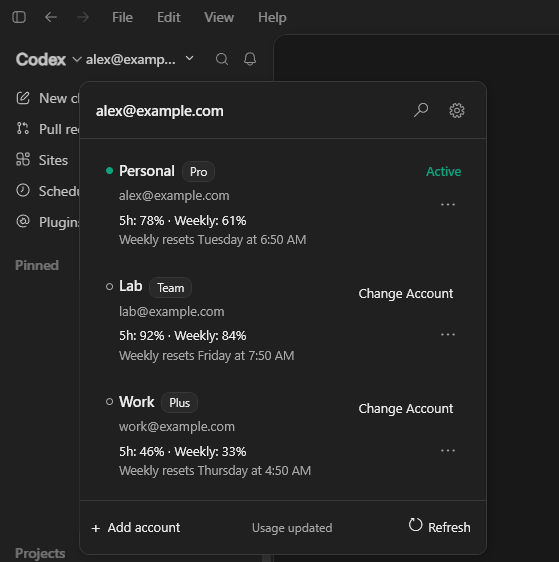
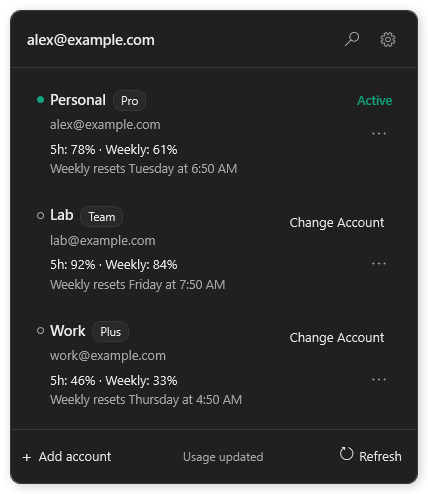
Roster Companion runs as its own Windows process and places a compact selector beside the existing selector in the ChatGPT desktop app. It does not inject code into or modify ChatGPT. Instead, event-driven window and accessibility tracking keeps the interface aligned while responding to movement, resizing, menus, settings, occlusion, and light or dark theme changes.
03 Account changes
Make a sensitive operation explicit and recoverable.
Changing accounts always requires confirmation. Before proceeding, the app checks for running tasks, backs up the current local credentials and session, validates the replacement, and can roll back if the change fails. Only verified ChatGPT package processes are closed and reopened as part of the confirmed switch.
New accounts can be enrolled through the official Codex CLI when it is available, with a guarded ChatGPT desktop fallback when it is not.
04 Privacy
Keep account data on the user’s machine.
Profiles, credentials, usage data, and backups are stored locally. The app has no telemetry, ads, analytics, or developer-operated background server. Network connections are limited to official OpenAI services needed for sign-in and usage refreshes.
Roster Companion is an unofficial tool and is not affiliated with or endorsed by OpenAI.
05 Shipping
Package a native Windows utility with repeatable checks.
The first public pre-release ships as a self-contained Windows x64 ZIP. Its delivery pipeline builds the app, runs 41 automated tests, checks dependencies and repository contents, and performs a startup smoke test before packaging a release.
Version 0.1.0 is currently unsigned, so Windows SmartScreen may show a warning. Because it tracks a separate desktop app through Windows interfaces, future ChatGPT interface changes may require compatibility updates.